PuttingAce Lab
Every putt.
A clearer picture.
Test the putt. Record the miss. Find the pattern.
Go beyond a score. Lab guides you through assigned distances, breaks, and slopes, then turns your results into a closer look at direction, distance, and speed.
Available in PuttingAce 3.0 on iOS and Android.
Included with lifetime Full Access.
01 · A test with structure
More intention.
More useful feedback.
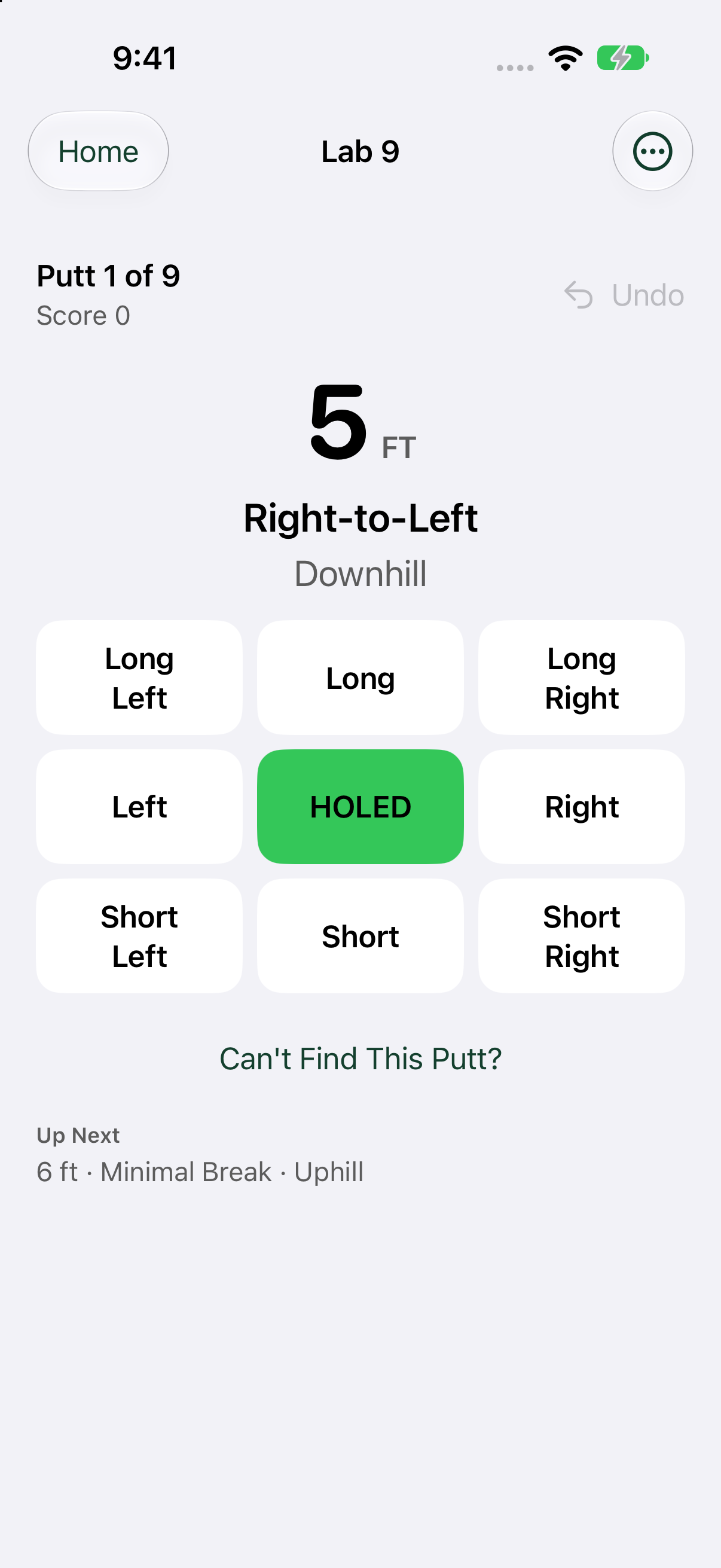
Choose a Lab, find a putt that matches the assignment, and record the outcome. After a miss, add the distance remaining and finish the putt. The conditions give your results context.
Lab 9
A focused nine-putt assessment across a range of distances and conditions.
Lab 18
A fuller assessment with eighteen starting putts and more conditions to work through.
Scoring Lab 9
Give your scoring-range putting a closer look.
Speed Lab 9
Test longer putts and learn from the distance you leave.
02 · See how you miss
Find the pattern
around the hole.
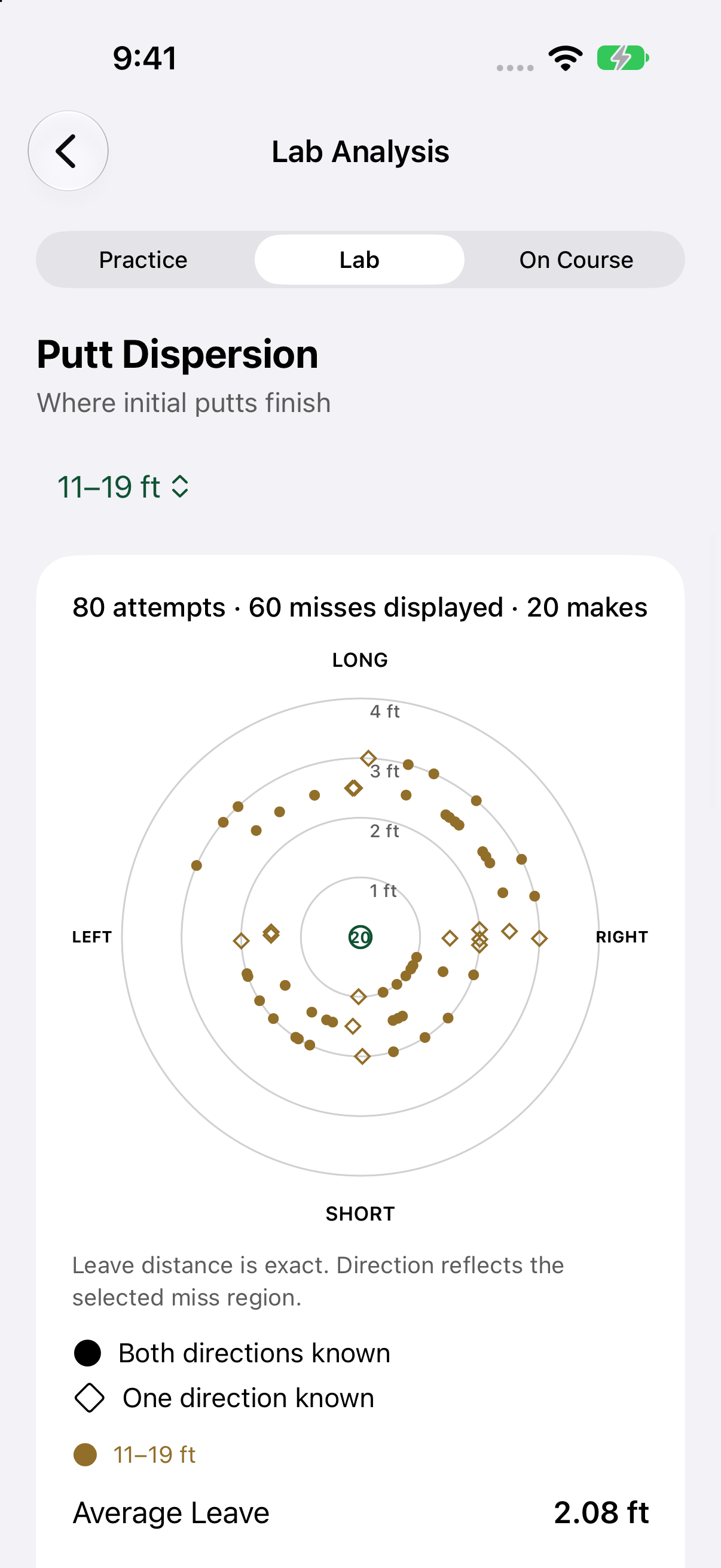
Putt Dispersion brings your recorded makes and initial misses into one view. Filter by starting distance and look for the patterns that a total score can hide.
Your entered leave distance sets the distance from the hole; the selected miss region supplies direction. It is a picture of what you recorded, without extra hardware or automatic ball tracking.
Short or long. Left or right. Start with what keeps appearing.
03 · Put the result in context
Know your strengths.
Find your next focus.
Lab Analysis brings together Strokes Gained per starting attempt, first-putt make rate, average leave, and distance performance.
Review 5–10, 11–19, 20–30, and 31+ foot ranges. Use the sample counts and filters to understand the work behind each result.
Lab, Practice, and On Course each keep their own analysis context. Explore the evidence for the way you are testing or playing.

04 · Understand your tendencies
Break. Direction. Speed.
A closer look at the miss.
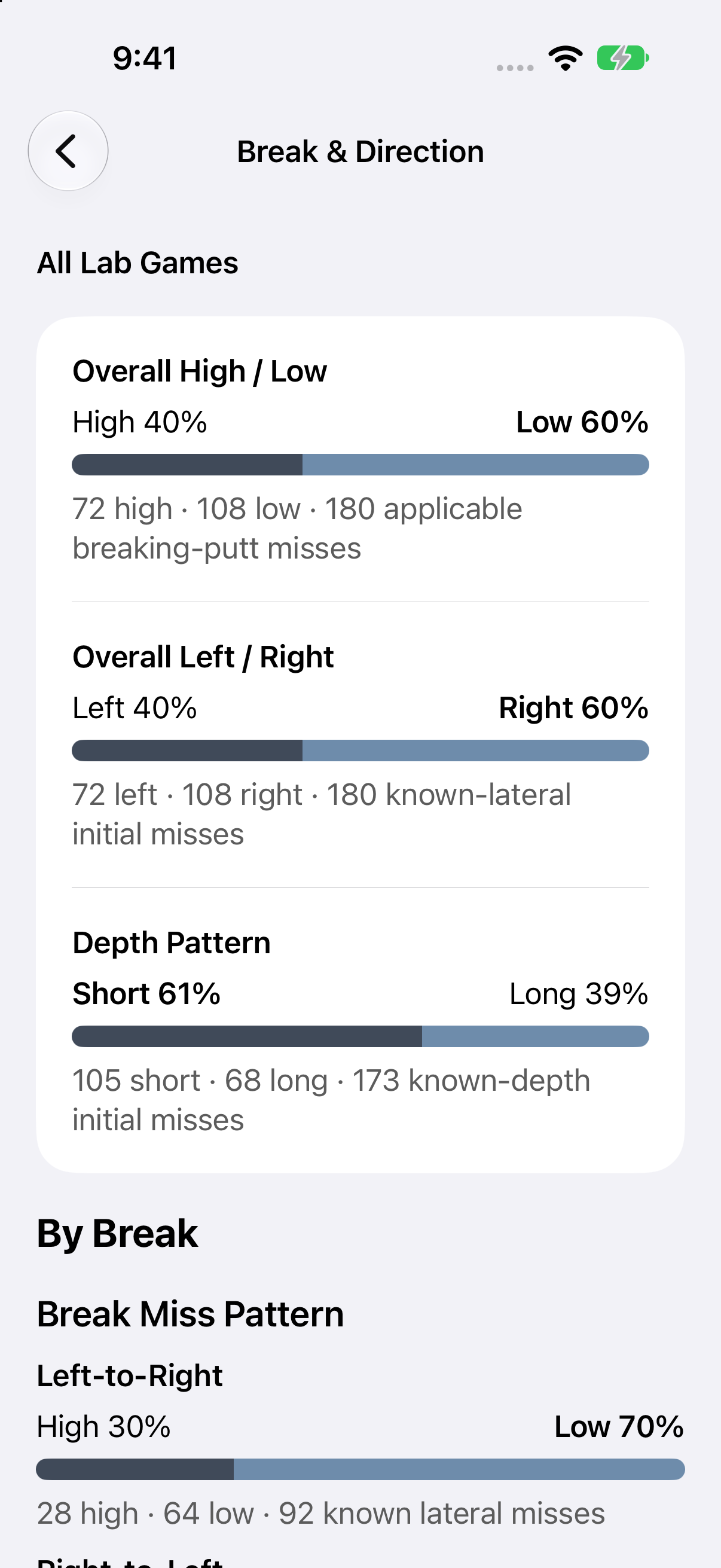
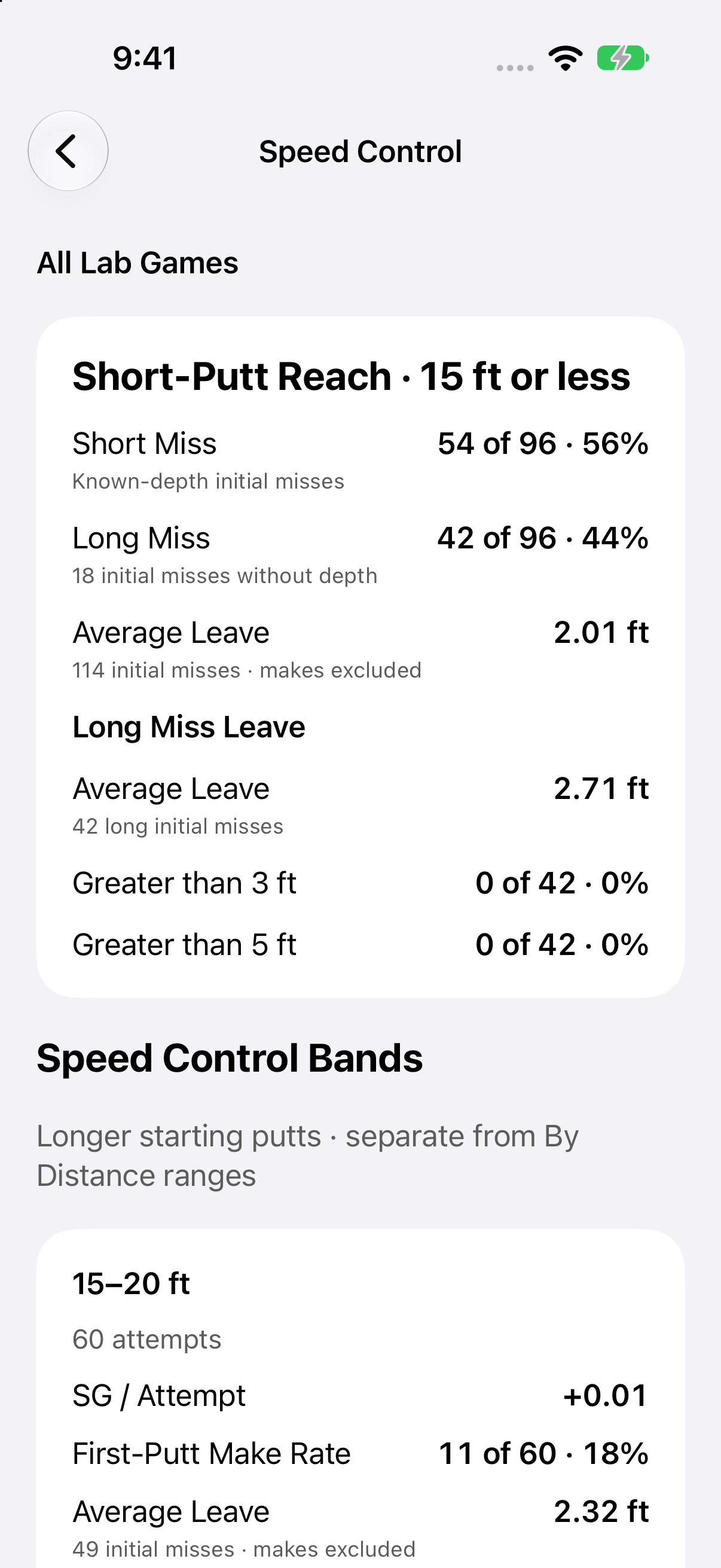
See high-side and low-side patterns on breaking putts, left and right tendencies, and short versus long finishes. Speed Control adds average leave and distance-based context.
These patterns give you better questions to take to practice. They help you examine your read, start line, and pace rather than relying on memory alone.
A few useful details.
Is Lab available on iPhone and Android?
Yes. PuttingAce Lab and Lab Analysis are available on both platforms in version 3.0 and are included with lifetime Full Access. Screens shown here are from the iPhone app; layouts and individual controls can vary by platform.
How do TOUR and SCRATCH targets fit in?
Choose a performance target to change the benchmark used for supported comparisons. Switching targets recalculates the comparison; it does not change your recorded putts, distances, or results.
Does my Lab history sync across devices?
No. PuttingAce 3.0 keeps Practice, Lab, and On-Course history on the device where it was recorded. There is no app-provided cloud history sync on iOS or Android. An optional iOS account is separate from this local history.
What can I try for free?
PuttingAce 9 and PuttingAce 18 are free. Lifetime Full Access unlocks Lab, more practice games, and deeper analysis. Explore Practice →
Give your next practice
a clearer purpose.
Play a game. Look closer with Lab. Take the feedback to the course.
Lab is included with lifetime Full Access. No subscription.